


Magic Level 9 Music Piano Game
4.8725.00 Reviews
App Specs
- Version
- 2.9.0
- Updated On
- License
- Free
- Downloads
- 10,000,000+
- Developer
- Beatwave Studio
- Categories
- Music
- Platform
- Android
Screenshots





 Analysis by AppCompare
My main impression of Magic Level 9 Music Piano Game is that it works best as a quick, rhythm-focused diversion: the appeal is in watching a song’s beat, reacting with your fingers, and trying to keep a clean run going. It is a music game, not a piano lesson, so I would choose it for a little burst of concentration and fun rather than expecting it to teach me how to play an instrument.
That distinction matters when deciding whether to download it. Beatwave Studio has made a free game with an accessible premise, and its broad age rating makes it easy to consider for casual play. But a simple tap-and-rhythm idea only stays enjoyable when the timing feels satisfying and the challenge suits the player. I found the strongest reason to try it is that direct, hands-on loop; the main reason to be cautious is that players looking for deeper musical practice or a more developed rhythm-game toolkit may want something else.
A rhythm game, not a shortcut to piano skills
The name can suggest a traditional keyboard experience, but the central appeal is tapping in time with music. That makes the game approachable even if you have never taken a music lesson. You do not need to know notation or understand chords to take part; you can focus on the beat and your response to it. For a short break, that low barrier is a real strength.
At the same time, I would not treat repeated tile tapping as a substitute for piano practice. It can encourage attention to timing and coordination, but it does not, by itself, offer the kind of deliberate instruction a beginner needs to learn notes, fingering, or how to perform a piece on a real keyboard. If your goal is to play piano, pair a game like this with lessons or a proper practice app instead of expecting the game to do that work.
What the play loop does well
The satisfying part is the immediate connection between listening and acting. I can settle into a rhythm, watch for the next cue, and make a small adjustment when the sequence gets faster or less forgiving. That keeps the experience active without requiring a long setup or a big commitment. It is also easy to understand why a player might want another attempt after a missed beat: the goal is clear, and a better run feels within reach.
The game’s music-and-theme framing gives that simple loop a little more personality than tapping through abstract prompts. If you enjoy matching an action to a sound, the combination can make even a brief session feel like a tiny performance. The practical caveat is that enjoyment depends heavily on whether the music and pacing work for you. A player who wants a wide range of control over song selection, practice speed, or difficulty should check how the current version feels before making it their main rhythm game.
Where it fits among music games
Compared with music streaming, this is an activity rather than a way to put a playlist on in the background. I would not open it when I want to relax with a whole album or choose exactly what I hear next; I would open it when I want the music to give me something to do. Compared with a full rhythm-game setup that emphasizes elaborate charts, instrument-style play, or extensive customization, its appeal is the lighter, more immediate premise.
Worth Reading Before You Choose

Flipboard Shows What News Apps Must Do Beyond the Feed

Switching to Android Auto Means Rethinking Your Driving Routine

Google Calendar Makes a Crowded Week Easier to Manage

Ludo King Makes the Most of the Minutes Between Plans

Baby Panda World Brings Quick Play to Modern Phones, but Its Game Library Feels Busy

ESPN’s Live Game View Makes Following Close Games Easier
That trade-off is useful to keep in mind. A casual player may prefer a game they can understand quickly, while a dedicated rhythm-game fan may want more control and depth than a straightforward tap-focused experience provides. Neither preference is wrong. The question is whether you want a quick test of timing or a long-term system for building technique and mastering complex tracks.
Small habits that make sessions better
I get more out of a rhythm game when I play with both attention and a little patience. A quiet moment helps me hear the beat rather than tapping in a hurry, and using the same comfortable grip each time makes it easier to respond consistently. If I keep missing the same section, I pause instead of repeating it mindlessly; rushing through retries can make timing feel more frustrating, not less.
It is also worth treating a high score as a personal benchmark rather than the only reason to play. A short session with one clear aim—staying steady, improving a difficult passage, or simply enjoying the track—feels more satisfying than chasing a perfect run every time. For younger players or anyone sharing a device, I would keep sessions brief and check that the play environment is comfortable, especially if the screen is being held close for extended stretches.
For an everyday example, I could see myself opening it while waiting for a meal or taking a short break between tasks. One or two attempts offer a defined activity that is more engaging than scrolling, but the game is easy to put down when the break ends. It is less suited to a commute where I need to watch my surroundings, or to a setting where tapping and audio would distract other people. Headphones may make the music easier to focus on, but I would keep the volume sensible and stay aware of what is happening around me.
Who should give it a try
This is a sensible pick for someone who enjoys music, likes quick reflex challenges, and wants a free game with a low learning curve. It may also suit families looking for an uncomplicated music-themed activity, while the Everyone age rating makes its intended audience broad. The game has reached over a million installs and holds an average rating of 4.8 from around 6,800 ratings, which suggests plenty of players have found its basic appeal worthwhile; I would still judge it by whether its rhythm style clicks with you.
I would skip it if I wanted structured piano teaching, precise control over a practice routine, or the extensive customization and progression systems found in more involved rhythm titles. It may also be a poor fit if repeated tapping quickly irritates your hands or if you prefer music experiences where listening, rather than reacting, is the main point. Those are not flaws every player will notice, but they are good reasons to choose a different kind of app.
What to expect before installing
The game is free, runs on Android 7.0 or later, and its current version is 1.6.1. It was released on June 14, 2025, so I would make sure the phone meets the operating-system requirement before trying it. Its short store label, “Magic Level 9,” is not much of a guide to the experience; the useful expectation is a music game built around rhythm and tapping, rather than a conventional piano simulator.
A common question is whether it is suitable for a beginner. For the game itself, yes: the basic idea does not require musical knowledge. For learning piano, no—not on its own. Another practical question is whether it works as a background listening app. I would not use it that way, because the point is to pay attention and respond. If you want relaxed listening, a music player is the better choice; if you want a short, interactive beat challenge, this is more relevant.
My verdict after weighing the trade-offs
Hey there, fellow game enthusiasts! 🎹 Today, I’m diving into the musical world of Magic Level 9 Music Piano Game. If you’ve ever dreamed of tickling the ivories like a pro or simply love tapping along to some catchy tunes, this might just be the app for you. Let’s get into it!
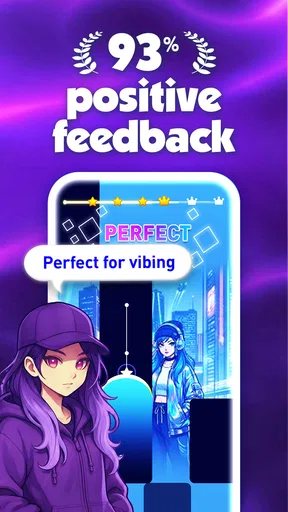
From the moment I opened Magic Level 9 Music Piano Game, I was greeted with a sleek, user-friendly interface that even a tech newbie could navigate. The game sets you off on a musical adventure, where your primary goal is to tap tiles that sync perfectly with the rhythm of the song. Sounds simple, right? Well, it’s both mesmerizing and challenging, keeping you on your toes (or should I say fingers?).
Variety is the Spice of Life
One of the things I absolutely love about this app is the variety of songs available. Whether you’re into classical pieces, pop hits, or even some indie jams, there’s something for everyone. The game keeps things fresh by regularly updating its song library, so you never get bored.
And let me tell you, the satisfaction of perfectly hitting your favorite song’s rhythm is like no other! It’s like having a mini concert right in your pocket.
Challenge Accepted!
As you progress, the levels get trickier, which is a great way to test your reflexes and improve your timing. I found myself getting lost in the game for hours, trying to beat my high score. The competitive side of me couldn’t resist!
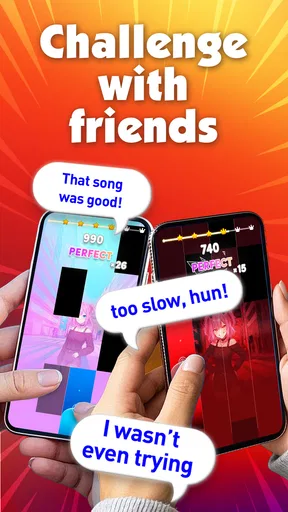
Plus, the game has this nifty feature where you can compete with friends and other players worldwide. Nothing like a little friendly competition to spice things up, right?
Visuals and Sounds
Visually, the game is a treat. The vibrant colors and smooth animations make each session enjoyable. But what truly stands out is the sound quality. The developers nailed it with crisp and clear audio that makes the experience all the more immersive. It’s honestly like being at a live concert, but without the crowds and overpriced drinks!
One small but useful habit is to give yourself a moment to settle into the song before trying to beat a personal best. When I rush into a run with my attention split, I tend to tap ahead of the sound and make avoidable mistakes. A calmer first attempt can tell me whether I am struggling with the rhythm itself or simply reacting too quickly, which makes the next try feel less like guesswork.
I also find it helpful to separate “I like this song” from “I want to master this level.” Those are different reasons to play. If I am enjoying the music, I can stop after a satisfying run; if I am chasing a better result, I can focus on the sections that repeatedly throw off my timing. That distinction keeps a casual music game from turning into a frustrating score grind.
Final Thoughts
To wrap it up, Magic Level 9 Music Piano Game is a fantastic pick for music lovers and gamers alike. It’s addictive, fun, and a great way to unwind after a long day. If you haven’t tried it yet, I’d say give it a go. Who knows, you might just find your new favorite pastime.
So, what are you waiting for? Grab your phone, download the app, and let the music play! 🎶
My final recommendation is more specific: try it if you want a simple, immediate rhythm challenge and are happy to judge it by how the tapping and music feel on your own phone. I would not choose it as a replacement for piano instruction, a hands-off music player, or a deeply customizable rhythm game. For the right kind of short break, though, the uncomplicated premise is exactly the point.
Pros
- Engaging gameplay with a wide song selection.
- Responsive touch controls enhance playability.
- Visually appealing graphics and animations.
- Regular updates with new songs and features.
- Offline mode available for uninterrupted play.
Cons
- In-app purchases can be pricey.
- Ads may interrupt gameplay frequently.
- Limited free song options initially.
- Requires significant storage space.
- Some songs locked behind paywalls.
FAQs for Magic Level 9 Music Piano Game
What is Magic Level 9 Music Piano Game?
Magic Level 9 Music Piano Game is an engaging mobile game that combines the fun of playing a virtual piano with a rhythm-based challenge. Players tap tiles as they descend in time to the music, offering an enjoyable way to test reflexes and musical timing. It’s available on both Android and iOS platforms.
How does the game improve musical skills?
While primarily a game, Magic Level 9 Music Piano Game helps players enhance their sense of rhythm and timing. By requiring players to tap in sync with the music, it can subtly improve hand-eye coordination and musical perception, making it a fun way to develop a basic understanding of rhythm.
Are there different levels of difficulty in the game?
Yes, the game offers multiple levels of difficulty to cater to various skill levels. Beginners can start with easier songs to get accustomed to the gameplay mechanics, while advanced players can challenge themselves with faster-paced music, ensuring a scalable difficulty curve.
Is Magic Level 9 Music Piano Game free to play?
The game is free to download and play, but it may offer in-app purchases. These can include additional songs, ad-free experiences, or other enhancements. While not necessary to enjoy the game, these purchases can enhance the overall experience for players who choose to invest in them.
Does the game require an internet connection?
Magic Level 9 Music Piano Game can be played offline, allowing users to enjoy the experience without needing a constant internet connection. However, some features, like downloading new songs or accessing certain updates, might require an internet connection.


